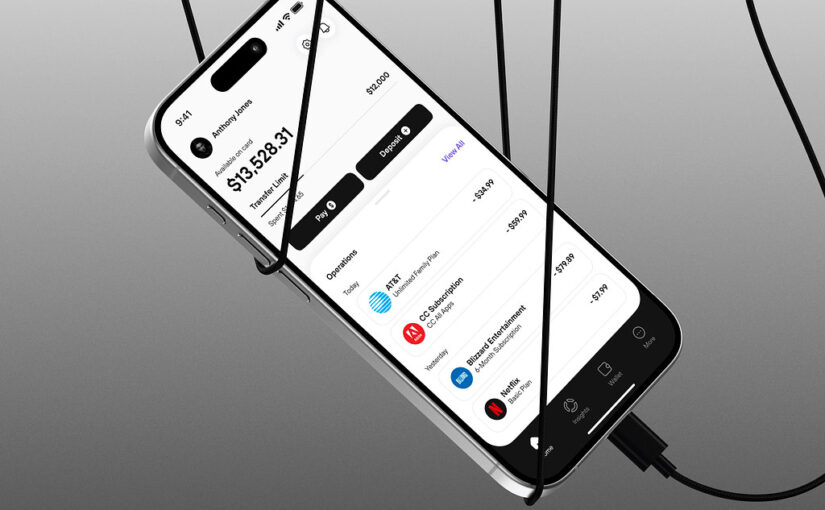
Developing a mobile application is a complex yet rewarding process that involves multiple stages, from initial idea to market launch. As the mobile device landscape continues to evolve rapidly, understanding the fundamentals of app creation becomes essential for entrepreneurs, startups, and established companies alike. Whether you’re aiming to build a native experience or a progressive web app, this comprehensive guide covers every crucial aspect of mobile app development, providing insights into design, technology choices, team roles, and deployment strategies.
Starting with a clear understanding of the development options and the technical foundations, you’ll be better equipped to navigate the challenges and opportunities in creating an engaging, reliable, and scalable mobile product. The process involves more than just coding; it requires strategic planning, user-centered design, rigorous testing, and ongoing maintenance. By following best practices and leveraging the right tools, you can transform your innovative idea into a successful application that resonates with users and stands out in today’s competitive app markets.
The Foundations of Mobile App Development
Creating a mobile app begins with grasping the core concepts of what makes applications effective and engaging for users. Unlike traditional websites, mobile apps are tailored to leverage the hardware and OS capabilities of devices like smartphones and tablets, leading to higher user engagement and interaction. Mobile apps can serve a variety of purposes: from simple utilities and entertainment platforms to complex financial and health management tools.
To succeed, developers must choose the appropriate development approach based on project goals, budget, and timeline. Native apps, built specifically for iOS or Android, offer high performance and access to device features but require separate codebases. Hybrid and cross-platform solutions, such as Flutter or React Native, enable code sharing across platforms, reducing development time and costs. Progressive Web Apps (PWAs), which combine web and app functionalities, are gaining popularity for their ease of deployment and offline capabilities. Additionally, low-code and no-code platforms are transforming how non-technical users can create functional prototypes and even full applications rapidly.
Understanding these options is essential when planning your project. For example, if high performance and device-specific features are priorities, native development may be best. Conversely, if quick deployment and cross-platform compatibility are more critical, hybrid or cross-platform frameworks could be ideal. Each approach has its benefits and trade-offs, so selecting the right one depends on your specific needs.
Assembling Your Mobile Development Team
A successful app project hinges on assembling a skilled and cohesive team. Typically, the core team includes a project manager or mobile app strategist who oversees the entire process, ensuring deadlines and quality standards are met. A UX/UI designer crafts the user experience and visual identity, making sure the app is intuitive and visually appealing. Developers—specialized in native or cross-platform coding—bring the technical vision to life, integrating backend systems where necessary.
Quality assurance (QA) engineers play a vital role by rigorously testing the application across various devices and scenarios to eliminate bugs and ensure smooth performance. Depending on the project scope, additional roles such as back-end developers, content writers, or marketing specialists may be involved.
Effective management principles, such as fixed deadlines and flexible workflows, help keep the project on track. For instance, setting clear milestones allows the team to deliver incremental improvements, while maintaining flexibility ensures the project can adapt to unforeseen challenges. When choosing development approaches like no-code platforms, the team composition can be simplified, sometimes involving fewer specialists.
Navigating Mobile Platforms and Technologies
The choice of target platform significantly influences the development process and user reach. The two dominant mobile operating systems—iOS and Android—each present unique considerations.
iOS, launched in 2007, is known for its secure, streamlined ecosystem. Apple’s tight control over hardware and software ensures consistent performance and user experience, but it also means development must adhere to strict guidelines and restrictions. Apps targeting iOS are primarily built with Swift or Objective-C, and must pass Apple’s review process before reaching users.
Android, introduced in 2008 and acquired by Google in 2005, dominates global market share due to its openness. Android apps are typically developed using Java or Kotlin, and the platform’s flexibility allows for a wide range of device compatibility and customization options. Google’s open-source nature facilitates rapid innovation but also requires developers to carefully optimize for different device configurations.
For broader reach and efficiency, many companies opt for cross-platform development, utilizing frameworks like Flutter, React Native, or Xamarin, which enable code sharing across iOS and Android. This approach accelerates time-to-market and simplifies maintenance.
Programming Languages and Frameworks
Choosing the right programming language and framework depends on your targeted platform and app complexity. For native iOS development, Swift and Objective-C are standard, offering robust access to device features. Android development primarily uses Java and Kotlin, which are well-supported and versatile.
Cross-platform frameworks like React Native and Flutter allow developers to write a single codebase that runs seamlessly on multiple platforms, often reducing costs and development time. For web-based solutions, technologies such as JavaScript, HTML, CSS, and frameworks like Cordova enable the creation of Progressive Web Apps that work across devices without requiring app store deployment.
For those interested in low-code or no-code development, visual builders and pre-made components facilitate quick prototyping and deployment, making app creation accessible even to non-technical stakeholders.
The App Development Lifecycle
Developing a mobile application involves several interconnected phases, each critical to the final product’s success.
1. Research and Planning
Start by analyzing your target audience, market landscape, and competitors. Define the core features that will differentiate your app and determine the platforms you will target. Clarify your monetization strategy and establish a clear timeline. This stage helps prevent costly mistakes later and aligns the project with your business goals.
2. UX/UI Design
Designing an engaging user experience is vital. Create wireframes to visualize layout and navigation, develop style guides for consistency, and build prototypes to simulate user interactions. Engaging external reviewers or conducting user testing at this stage minimizes costly revisions during development.
3. Development
The coding phase involves building the front-end (user interface) and back-end (server-side) components. Developers implement core functionalities, ensure device compatibility, and integrate necessary APIs. This iterative process often involves multiple testing cycles to refine performance and usability.
4. Testing and Launch
Rigorous testing across various devices ensures the app is bug-free, performant, and secure. Once quality standards are met, the app is prepared for submission to app stores or deployment as a PWA. Preparing detailed store listings, including descriptions and visuals, enhances discoverability.
5. Post-Launch Support
App maintenance involves fixing bugs reported by users, updating features, and ensuring compatibility with new OS versions. Continuous improvement sustains user engagement and extends the application’s lifespan.
Publishing and Distributing Your App
Getting your app into users’ hands involves navigating app store submission processes or deploying a Progressive Web App.
Publishing on App Stores:
Creating developer accounts on the Apple App Store ($99/year) and Google Play Store ($25 one-time fee) is the first step. For each platform, you’ll prepare app listings with descriptions, screenshots, and other media, then submit your build for review. Ensuring compliance with guidelines accelerates approval.
Launching a Progressive Web App:
PWAs are distributed via a website, eliminating the need for app store approval. Key steps include developing a responsive, HTTPS-secured web app, adding a web app manifest, registering a service worker for offline functionality, and promoting the URL through various marketing channels.
For comprehensive guidance, official resources like Apple Developer and Google Play Console provide detailed instructions and best practices.
Final Thoughts
Creating a successful mobile application requires strategic planning, technical expertise, and ongoing support. Whether you choose native, hybrid, or web-based development, understanding the nuances of each approach ensures your project aligns with your business objectives and user expectations. With the right team and tools, turning an innovative idea into a market-ready app is an achievable goal.
If you’re ready to bring your app idea to life, contact us to build a versatile and engaging solution tailored to your needs. Remember, the journey from concept to launch is challenging but immensely rewarding.
Estimate Your Project Costs
Unsure about how much your app or website might cost? Answer a few quick questions to get an estimate of your project’s budget.
Calculate your project
Frequently Asked Questions
How much does it cost to develop an app?
The overall cost varies widely depending on complexity, features, and team expertise. Typically, in-house teams charge around $150/hour, whereas outsourcing agencies may offer rates near $40-45/hour for development and $75-80/hour for design.
How long does app development take?
Development timelines depend on project scope but generally range from several months to over a year. We offer tailored schedules based on your specific requirements, ensuring timely delivery without sacrificing quality.
What are the costs associated with publishing apps?
Apple charges an annual fee of $99 for a developer account, along with a 30% cut on in-app purchases. Google’s registration fee is a one-time payment of $25, with similar revenue sharing policies. These fees are essential investment for reaching your audience.
Which types of apps are most popular?
Social media platforms like Instagram and TikTok lead the market, but niche categories such as music streaming (Spotify, YouTube Music) and dating apps (Tinder, Bumble) also see high engagement. Understanding your target demographic helps shape your app’s features and marketing approach.
Originally published in April 2020 and updated in April 2024 for relevance and depth.