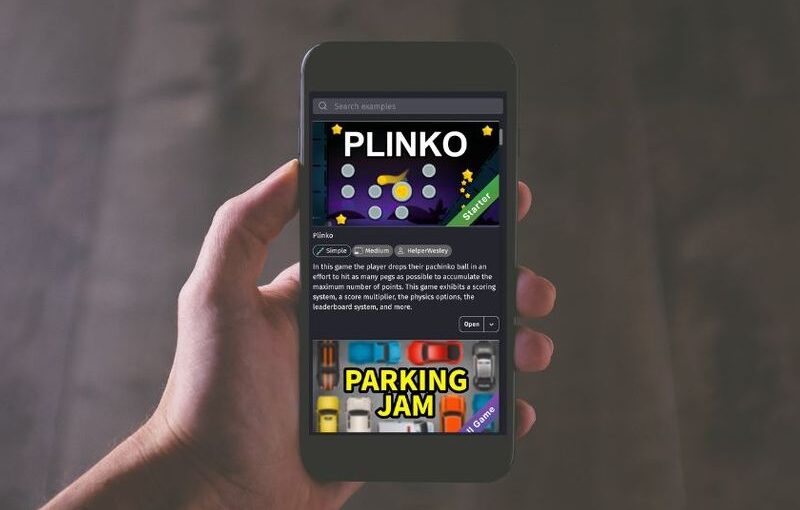
Creating your own video game has never been more accessible, especially with the powerful tools available on mobile devices today. Android smartphones and tablets have evolved into capable platforms for game development, allowing creators to design, test, and publish games directly from their portable devices. Thanks to innovative apps like GDevelop, aspiring developers can now craft complete games without needing a PC or expensive software. This guide walks you through the process of making a game on an Android device, from downloading the right app to sharing your final creation with the world.
Step 1: Download the GDevelop Mobile App
The initial step is straightforward: acquire the official GDevelop app from the Google Play Store. This eliminates concerns about downloading untrusted software or dealing with risky APK files, ensuring a secure setup process. GDevelop is a free, open-source platform that requires no coding experience, making it ideal for beginners and seasoned developers alike. As praised by popular YouTubers such as Mike from GamesFromScratch, GDevelop is considered one of the best tools for developing games on the go.
Visit the official GDevelop page on the Play Store to download and install the app. GDevelop is also available for iOS devices, including iPhones and iPads, providing cross-platform flexibility for creators.
Step 2: Create a GDevelop Account
Setting up a GDevelop account is quick, free, and adds a range of benefits. With an account, you can access your projects across multiple devices, collaborate with others, and save your work in the cloud. Even with the free version, you can explore creating games with up to 20 events on a single event sheet, which is perfect for testing ideas or making simple prototypes.
If you already have a GDevelop account, simply sign in to continue. For new users, registration is simple and provides access to additional features as you grow more confident in your game development journey. You can also open existing projects stored on your account, modify events, and experiment freely within the platform’s limits.
Step 3: Upgrade to a GDevelop Premium Subscription
For those eager to unlock the full potential of GDevelop, subscribing to a premium plan is the next step. The most affordable Silver tier grants access to all advanced features, enabling you to create more complex and polished games. Subscriptions can be purchased directly within the app or through the official Pricing page, giving you flexibility in how you choose to support your development efforts.
Having a premium account allows for unlimited events, larger projects, and additional assets, making it ideal for serious game developers aiming to publish professionally.
Step 4: Start Making Games!
With your account set up, you’re ready to create. GDevelop’s intuitive interface and built-in asset store streamline the game creation process, allowing you to assemble your game quickly and easily. Whether you want to design a simple puzzle or a complex adventure, GDevelop provides tools to bring your ideas to life directly on your Android device.
When your game is ready, you can export it as an APK, EXE, or HTML file directly from your phone or tablet. This means you can test, refine, and publish your game without ever needing a computer. Distribute your finished products on platforms like Steam, itch.io, or Poki, reaching a global audience. Additionally, with the support for exporting to the Steam Deck, your games can be enjoyed on a variety of hardware.
Creating and publishing games from your mobile device is now more achievable than ever. Download the GDevelop app and start exploring the endless possibilities for game development right at your fingertips.
—
For further insights into the industry, you might find it helpful to explore strategies for finding game development opportunities, or learn about the growing field of blockchain gaming and how to connect with studios in this space by reading this guide. If you’re interested in indie game creation, gaining a solid understanding of the process can be invaluable, which you can do by reviewing comprehensive resources on indie game development.