


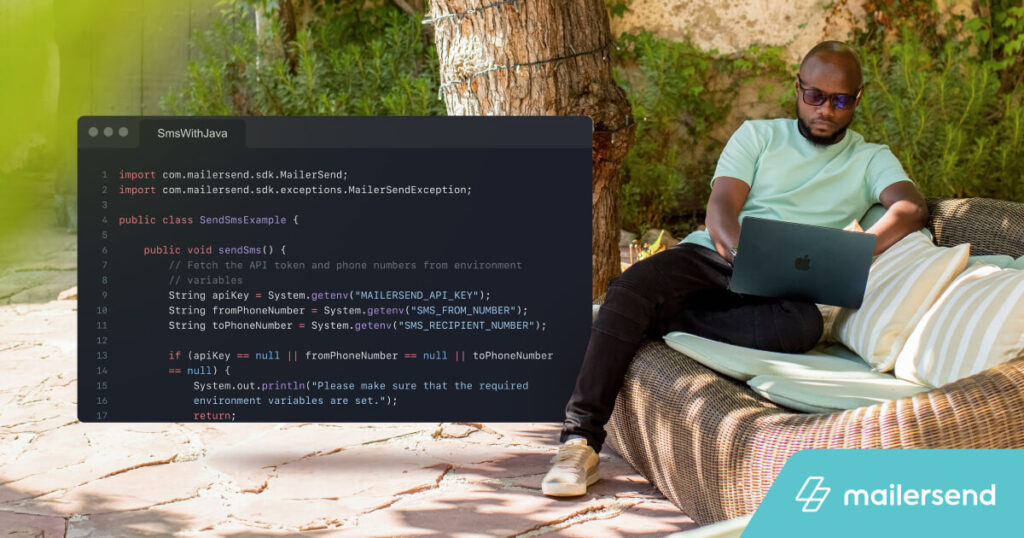
Sending SMS messages programmatically is a vital feature for many applications, whether for transactional alerts, notifications, or marketing campaigns. Java, known for its robustness and platform independence, offers a reliable choice for integrating SMS functionalities into your system. This tutorial provides a detailed, step-by-step approach to sending SMS with Java, including example code snippets, API management tips, and best practices to ensure smooth, scalable communication with your users.
Many developers are adding SMS capabilities to improve system notifications because recipients tend to pay closer attention to messages that land directly on their phones. Transactional messages, which often contain sensitive or important information like OTPs, benefit significantly from automated SMS delivery. To ensure your implementation is both effective and compliant, understanding the API features and testing thoroughly is essential.
Let’s delve into how you can set up, send, and manage SMS messages efficiently with Java, leveraging the MailerSend API.
Getting started with SMS messaging in Java
This guide utilizes the MailerSend SMS API and its Java SDK to facilitate text message delivery. Currently, SMS services are available in the U.S. and Canada, with plans to expand to other regions soon.
Prerequisites
Before jumping into coding, ensure you have the following in place:
- Java JDK 17 or newer: Download from the Oracle website or verify your version with `java -version` in your terminal.
- MailerSend account and API key: Register for a free account, then create an API key with permissions for SMS. You can manage API keys through the API key management guide.
- A valid phone number: Use the free trial number provided on your paid plan or purchase a verified number for sending SMS.
- A Java project: Set up your project within your preferred IDE, such as IntelliJ IDEA or Eclipse.
Step 1: Adding dependencies
For Maven-based projects, include the MailerSend Java SDK in your `pom.xml`:
“`xml
com.mailersend
java-sdk
1.0.1
“`
This dependency allows seamless integration with MailerSend’s SMS API.
Step 2: Configuring environment variables
Security best practices dictate avoiding hardcoded sensitive data. Instead, set environment variables for your API key and phone numbers. Here’s how to do it in Linux/macOS:
Temporary setup:
“`bash
export MAILERSEND_API_KEY=”your_api_key”
export SMS_RECIPIENT_NUMBER=”+1234567890″
export SMS_FROM_NUMBER=”+0987654321″
“`
Permanent setup:
Add these lines to your shell configuration file (`~/.bashrc` or `~/.zshrc`):
“`bash
export MAILERSEND_API_KEY=”your_api_key”
export SMS_RECIPIENT_NUMBER=”+1234567890″
export SMS_FROM_NUMBER=”+0987654321″
“`
Then, reload your shell or source the file:
“`bash
source ~/.bashrc
“`
In your Java code, retrieve these variables using `System.getenv()` to keep your credentials secure.
Step 3: Sending your first SMS
Create a Java class, for example, `SendSmsExample.java`, and use the following code to send an SMS message. This example demonstrates the inclusion of personalized content, such as OTP codes:
“`java
import com.mailersend.sdk.MailerSend;
import com.mailersend.sdk.exceptions.MailerSendException;
public class SendSmsExample {
public void sendSms() {
String apiKey = System.getenv(“MAILERSEND_API_KEY”);
String fromNumber = System.getenv(“SMS_FROM_NUMBER”);
String toNumber = System.getenv(“SMS_RECIPIENT_NUMBER”);
if (apiKey == null || fromNumber == null || toNumber == null) {
System.out.println(“Ensure all environment variables are properly set.”);
return;
}
MailerSend ms = new MailerSend();
ms.setToken(apiKey);
try {
String messageId = ms.sms().builder()
.from(fromNumber)
.addRecipient(toNumber)
.text(“Your security code is {{auth_code}}. This code will remain active for 15 minutes.”)
.addPersonalization(toNumber, “auth_code”, “760465”)
.send();
System.out.println(“Message successfully sent with ID: ” + messageId);
} catch (MailerSendException e) {
e.printStackTrace();
}
}
public static void main(String[] args) {
new SendSmsExample().sendSms();
}
}
“`
Running this class will dispatch an SMS to the specified recipient, embedding a dynamic OTP. Verify your environment variables are correctly set to avoid runtime errors.
Error handling and troubleshooting
The example code includes basic error handling through catching `MailerSendException`. If your API key is invalid, phone numbers are incorrect, or network issues occur, exceptions will be thrown and printed. Additionally, the code checks whether all environment variables are initialized before attempting to send, preventing incomplete requests.
For more detailed troubleshooting, review the response logs or use the MailerSend API dashboard to monitor message statuses, delivery failures, or opt-outs.
Exploring additional MailerSend API features
Beyond basic message sending, MailerSend offers a suite of features to enhance SMS management:
Managing SMS activities
Retrieve logs of sent, delivered, or failed messages for specific phone numbers or messages using the `/sms-activity` endpoint. This helps verify delivery and diagnose issues.
“`java
// Example code for fetching SMS activity logs…
“`
Handling recipients
Manage recipient lists by fetching details, updating their opt-in status, or removing them from your contact list. This ensures compliance and effective targeting.
“`java
// Example code for fetching and updating recipient info…
“`
Managing inbound routes
Configure inbound SMS routes to process incoming messages automatically. This allows your system to handle replies, support inquiries, or trigger workflows.
“`java
// Example code for creating inbound routes…
“`
Webhook integration
Set up webhooks to monitor SMS events in real-time, such as delivery confirmations or failed messages, enabling dynamic responses.
“`java
// Example code for creating webhooks…
“`
Further details and comprehensive API references are available in the MailerSend documentation. For those interested in exploring other multimedia options, you might consider how to adapt your system for platforms like game emulation or digital content delivery, which sometimes involve downloading via torrents or streaming. Always ensure you’re compliant with legal and platform-specific policies.
Tips for testing and debugging SMS implementations
Effective testing ensures reliable communication. Here are key tips:
- Use trial phone numbers provided by MailerSend during development.
- Validate your API keys and permissions regularly.
- Monitor logs for errors or delays.
- Test edge cases, such as long messages or international numbers.
- Simulate failure scenarios, including invalid inputs or network outages.
- Measure response times to optimize delivery speed.
- Leverage MailerSend’s testing tools and sandbox environments.
Best practices for scalable and secure SMS delivery
To maintain high-quality service, adhere to these guidelines:
- Always store API keys and sensitive data in environment variables.
- Implement proper error handling to manage failures gracefully.
- Validate phone numbers before sending using libraries like libphonenumber.
- Segment lengthy messages into multiple parts to ensure readability.
- When handling high volumes, utilize asynchronous request patterns with Java’s concurrency features, such as CompletableFuture, to improve throughput.
“`java
// Example of asynchronous SMS sending with CompletableFuture…
“`
By following these principles, you can build a scalable, reliable SMS system within your Java applications, ensuring timely and compliant communication with your users.
Conclusion
Leveraging MailerSend’s API with Java provides an efficient way to integrate SMS functionalities into your projects. Proper setup, thorough testing, and adherence to best practices will ensure your messages reach recipients reliably and securely. Whether for transactional alerts, marketing, or support, SMS remains a powerful channel for user engagement. Start implementing today with a trial account and see how automated messaging can enhance your application’s communication flow.